
AI video and image generation changed faster in the past twelve months than in the previous five years combined. Google Veo 3, Runway Gen-4, Midjourney, and a dozen other tools now produce content that rivals professional studios — at a fraction of the cost. This guide breaks down the best AI video creation tools and AI image generators of 2026, with honest pricing, real use cases, and practical advice for students, freelancers, marketers, and business owners.
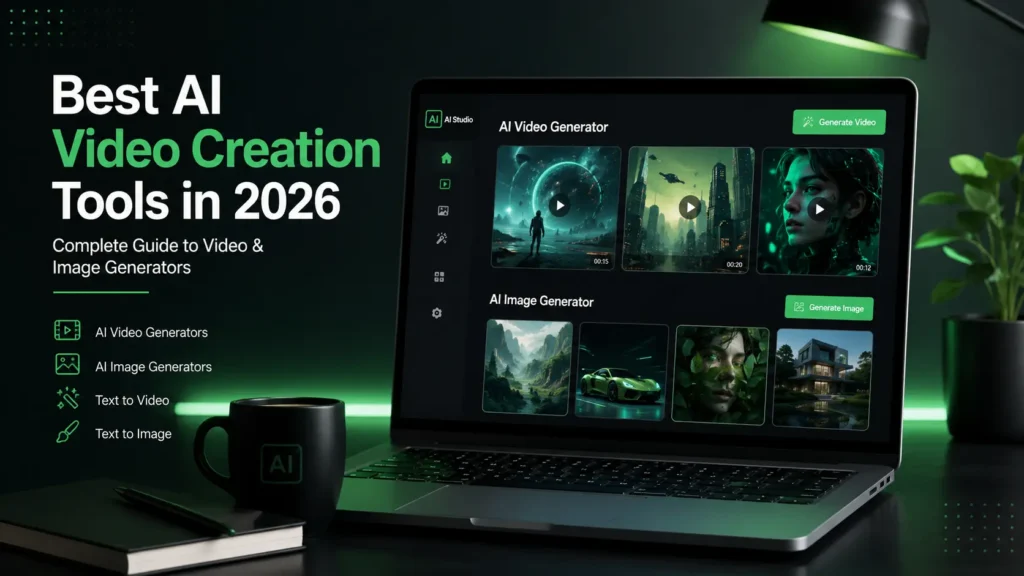
Every business, creator, and student is now competing for attention in a feed dominated by video. The problem has never been ideas — it’s been production time and cost. AI video and image tools remove that bottleneck. A single marketer can now write a script, generate a voiceover, animate footage, and design accompanying graphics in an afternoon, without a camera, studio, or design degree.
This shift matters for three groups in particular. Students use these tools to learn visual storytelling without expensive software. Freelancers and agencies use them to take on more clients without hiring more staff. Businesses use them to cut video production costs that used to run into thousands of dollars per minute of footage.
Key takeaway: AI content creation isn’t a fringe trend anymore — it’s core infrastructure for marketing, education, and media production in 2026.
Overview: Google’s flagship video model, built into Gemini, Google Flow, and Vertex AI. Veo 3.1 is known for realistic physics, cinematic lighting, and native synchronized audio — dialogue, ambient sound, and music generated alongside the video itself.
Features: Native audio generation, 1080p–4K output, Lite/Fast/Standard quality tiers, Google Vids editing integration, Vertex AI developer access.
Advantages: Best-in-class realism and motion; unmatched audio-video sync; deep Google ecosystem integration.
Disadvantages: Credit system is confusing across Flow vs. API; full 4K and unlimited generation require the expensive Ultra tier.
Pricing: Google AI Plus around $7.99/month, Google AI Pro at $19.99/month, Google AI Ultra at $249.99/month; API billed per second (roughly $0.05–$0.70/second depending on tier).
Free Plan: Yes — limited daily credits through Google Flow and the free Gemini tier.
Who Should Use It: Marketers and filmmakers needing photorealistic hero shots with audio.
Real-world Example: Agencies use Veo 3 for product ad hero shots that previously needed a full shoot day.
Expert Tips: Use the Lite tier for drafts, then upgrade only your final cut to Standard quality to save credits.
Alternatives: Runway Gen-4, Kling AI, Luma Dream Machine.
Rating: 9.3/10
Overview: A professional AI video suite combining generation with a full editing toolkit — Motion Brush, Act-Two performance capture, and Aleph video editing.
Features: Text-to-video, image-to-video, multi-model access (including Veo and Kling inside Runway), watermark removal, 4K upscaling.
Advantages: Most complete creative suite; strong motion coherence; supports professional workflows end-to-end.
Disadvantages: Credit-based pricing punishes retries; premium tiers get expensive for heavy users.
Pricing: Standard around $12/month, Pro around $28/month, Unlimited around $76–$95/month (annual billing), Enterprise custom.
Free Plan: Yes — 125 one-time credits, but no access to the flagship Gen-4 model.
Who Should Use It: Filmmakers, agencies, and teams that need generation plus editing in one platform.
Real-world Example: Indie filmmakers use Gen-4 for concept trailers before securing full production budgets.
Expert Tips: Draft on the faster Turbo preset, then spend premium credits only on your final selected shots.
Alternatives: Google Veo 3, Kling AI, Pika.
Rating: 9/10
Overview: A fast, social-first AI video generator known for stylized effects (“Pikaffects”) and quick iteration.
Features: Pikaframes (start/end frame control), effect templates, fast render times, image-to-video.
Advantages: Cheapest entry point among major tools; fastest generation speed; great for rapid iteration.
Disadvantages: Lower resolution and realism compared to Kling, Luma, or Runway.
Pricing: Plans roughly $8–$76/month depending on tier.
Free Plan: Yes, with daily credit refills.
Who Should Use It: Social media creators who need many quick, stylized clips.
Real-world Example: TikTok creators use Pika for quick meme-style transformation clips.
Expert Tips: Use Pika for testing 10–20 concept variations before finishing the winner in a higher-fidelity tool.
Alternatives: Kling AI, Luma Dream Machine.
Rating: 7.8/10
Overview: Kuaishou’s AI video model, praised for realistic motion physics and long-form clips up to 15 seconds (and beyond in newer versions).
Features: Voice ID for character consistency, multi-shot narrative support, HD output, permanent free tier.
Advantages: Best value for money in this category; strong realism in complex motion like hand movement; generous free tier.
Disadvantages: Slower iteration than Pika; Chinese-owned platform raises data-privacy questions for some commercial users.
Pricing: Roughly $8.80–$37/month depending on plan.
Free Plan: Yes — a genuine ongoing daily credit allowance, not just a one-time trial.
Who Should Use It: Budget-conscious creators and narrative video projects needing character continuity.
Real-world Example: Independent creators use Kling for narrative shorts requiring the same character across multiple shots.
Expert Tips: Use Kling’s Voice ID feature to keep a consistent character voice across a multi-scene story.
Alternatives: Runway Gen-4, Luma Dream Machine.
Rating: 8.5/10
Overview: Known for its Ray model family, which delivers superior camera movement, lighting, and physics simulation, aimed at professional and commercial creators.
Features: Keyframes, HDR pipeline (Ray 3 HDR), multi-model bundle (Luma Agents includes Veo, Kling, and more under one subscription), commercial-use rights on all paid tiers.
Advantages: Best cinematic camera work in its class; bundled access to multiple third-party models.
Disadvantages: Highest entry price among the “big three” alongside Kling and Pika.
Pricing: Plus around $30/month, Pro around $90/month, Ultra around $300/month.
Free Plan: Limited trial credits; commercial rights require a paid plan.
Who Should Use It: Professional creators producing client or ad campaign work where first-take quality matters.
Real-world Example: Ad agencies use Luma for hero campaign shots requiring polished camera moves.
Expert Tips: Use image-to-video mode instead of text-to-video where possible — it typically consumes fewer credits.
Alternatives: Kling AI, Runway Gen-4.
Rating: 8.7/10
Overview: A prompt-to-video platform that turns a single text prompt into a fully edited video with stock footage, voiceover, and captions.
Features: v4 prompt agent, large template library, iStock asset access, voice cloning.
Advantages: No editing skill required; strong for marketing and explainer videos at volume.
Disadvantages: Credit-based pricing varies by model and doesn’t roll over; leans on a “stock” look rather than fully original visuals.
Pricing: Free tier, Plus around $17–$25/month, Max around $48–$60/month.
Free Plan: Yes, with watermarked exports and limited weekly exports.
Who Should Use It: Marketers and small businesses needing fast, templated marketing videos.
Real-world Example: Small business owners use InVideo AI to produce weekly promotional videos without an editor.
Expert Tips: Reserve your voice-clone credits for your highest-priority videos; they’re limited even on paid tiers.
Alternatives: VEED AI, CapCut AI.
Rating: 7.5/10
Overview: The leading AI avatar video platform for corporate training, onboarding, and internal communications, trusted by companies including large enterprise brands.
Features: 240+ stock avatars, 160+ languages, structured enterprise editor, AI Playground with access to Veo 3.1 and Sora-class models for b-roll.
Advantages: Best for structured, brand-consistent corporate video; strong compliance and collaboration tools.
Disadvantages: Per-minute pricing gets expensive at scale; less flexible for creative/social content than avatar-agnostic tools.
Pricing: Starter around $18–$29/month, Creator around $64–$89/month, Enterprise custom.
Free Plan: Yes — a few minutes per month, watermarked, no MP4 download.
Who Should Use It: L&D teams, corporate trainers, and businesses needing multilingual presenter videos.
Real-world Example: Global companies use Synthesia to localize onboarding videos into dozens of languages without re-filming.
Expert Tips: Batch-script multiple videos at once so you don’t waste minutes on one-off test renders.
Alternatives: HeyGen, D-ID.
Rating: 8.6/10
Overview: Synthesia’s closest rival, focused on natural-looking avatars, talking photos, and face swap, with rapid feature releases like Avatar IV.
Features: 100+ avatars, 175+ languages, interactive/live avatars, custom avatar cloning.
Advantages: More expressive, human-feeling avatars; strong creative flexibility for social and marketing video.
Disadvantages: Business-tier collaboration features require a jump to a pricier plan.
Pricing: Free plan, Creator around $29/month, Pro from around $49/month, Business around $149/month.
Free Plan: Yes — 3 videos per month, no credit card required.
Who Should Use It: Creators and marketers who want realistic, expressive presenter avatars.
Real-world Example: YouTubers use HeyGen to produce faceless-channel content with a consistent AI presenter.
Expert Tips: Use custom avatar cloning once, then reuse it across all your videos to keep brand consistency without re-recording.
Alternatives: Synthesia, D-ID.
Rating: 8.7/10
Overview: A fast-growing Chinese-developed video generator known for competitive pricing and strong stylized output.
Features: Web-based generation, watermark-free downloads on paid tiers, 1080p/cinematic render modes.
Advantages: Low entry price; generous credit allocation for casual creators.
Disadvantages: Steep credit multiplier for 1080p and cinematic renders — costs can escalate quickly for high-resolution work.
Pricing: Roughly $7.99–$199.99/month depending on tier, with frequent annual-billing discounts.
Free Plan: Yes, limited resolution and credits.
Who Should Use It: Budget-conscious creators experimenting with AI video before committing to a pricier tool.
Real-world Example: Solo creators use Hailuo to test video concepts cheaply before finishing in Kling or Runway.
Expert Tips: Stick to base 512p renders for drafts; only upgrade to 1080p for your final approved cut.
Alternatives: Kling AI, Pika.
Rating: 7.6/10
Overview: Adobe’s commercially safe video generation model, integrated into Premiere Pro and the broader Firefly ecosystem.
Features: Generative extend, text-to-video, IP indemnification, Creative Cloud integration.
Advantages: Safest option for brand-sensitive commercial work; fits directly into existing Adobe editing workflows.
Disadvantages: Output quality and creative range trail dedicated video-first tools like Veo or Runway.
Pricing: Bundled with Creative Cloud plans; standalone Firefly plans start under $10/month for image credits, with video credits priced separately.
Free Plan: Limited free generative credits.
Who Should Use It: Agencies and enterprises that need indemnified, brand-safe commercial video content.
Real-world Example: Marketing teams use Firefly to extend or clean up existing footage inside Premiere Pro without legal risk.
Expert Tips: Use Firefly for touch-ups and extensions on real footage rather than full generative scenes, where it’s strongest.
Alternatives: Runway Gen-4, Google Veo 3.
Rating: 8/10
Overview: ByteDance’s video editor evolved into a full AI content platform, combining timeline editing with AI script-to-video generation.
Features: Text-to-video, AI voiceover, avatar creation, auto-captioning, deep social-media effects library.
Advantages: Best free tier in this category; excellent for high-volume short-form social content.
Disadvantages: Faced regulatory restrictions in some countries in 2025–2026; data-privacy terms have drawn scrutiny.
Pricing: Free tier is very generous; Pro plans start under $10/month.
Free Plan: Yes — most core features, including text-to-video and captioning.
Who Should Use It: Social media creators and small businesses producing high volumes of short-form content.
Real-world Example: Creators use CapCut’s auto-caption and effects library to publish daily Reels and TikToks.
Expert Tips: Check your region’s current availability before building a workflow around CapCut, given ongoing regulatory changes.
Alternatives: VEED AI, InVideo AI.
Rating: 8.2/10
Overview: A browser-based video editor with strong AI tools for captioning, translation, and full-timeline editing.
Features: AI subtitles and translation, brand kits, screen recording, collaborative editing.
Advantages: Strong all-in-one value; better collaboration tools than most template-first competitors.
Disadvantages: Export minute caps on lower tiers can be restrictive for high-volume creators.
Pricing: Basic around $18/month, Pro around $30/month.
Free Plan: Yes, with export limits and watermark.
Who Should Use It: Freelancers and small teams needing an all-in-one editor with strong captioning and translation.
Real-world Example: Podcasters use VEED to auto-caption and repurpose long-form video into social clips.
Expert Tips: Use VEED’s auto-translate feature to reach international audiences without hiring a localization team.
Alternatives: CapCut AI, InVideo AI.
Rating: 8.1/10
Overview: OpenAI’s image generation, built directly into ChatGPT, known for excellent prompt adherence and strong text-in-image accuracy.
Features: Conversational editing, multi-turn refinement, strong typography rendering, API access via GPT Image models.
Advantages: Best prompt-following in its class; easy conversational refinement; bundled into a tool most users already have.
Disadvantages: Style range is narrower than Midjourney; stricter content-policy refusals.
Pricing: Included with ChatGPT Plus ($20/month); API pricing ranges from about $0.005 to $0.21 per image depending on quality tier.
Free Plan: Limited free generations on ChatGPT’s free tier.
Who Should Use It: Marketers and everyday users who want accurate, editable images without learning a new interface.
Real-world Example: Marketers generate ad concept variations directly inside a ChatGPT conversation, refining them turn by turn.
Expert Tips: Describe edits conversationally (“make the background darker”) rather than rewriting the whole prompt — it’s built for iterative refinement.
Alternatives: Midjourney, Ideogram.
Rating: 8.8/10
Overview: The gold standard for artistic, painterly image generation, known for its strong aesthetic “out of the box” quality.
Features: Omni Reference for character consistency, up to 4K resolution, Discord and web app access.
Advantages: Unmatched aesthetic quality for creative and illustrative work; strong community for prompt learning.
Disadvantages: No free tier; weaker text-in-image rendering than Ideogram or GPT Image.
Pricing: Four tiers from about $10 (Basic) to $120/month (Mega), based on GPU time, not image count.
Free Plan: None as of 2026.
Who Should Use It: Illustrators, concept artists, and creators who prioritize beauty over precise control.
Real-world Example: Book cover designers use Midjourney for mood-setting concept art before refining details elsewhere.
Expert Tips: Combine Midjourney for the initial “wow” image with Ideogram or Photoshop for any embedded text.
Alternatives: Leonardo AI, Flux AI.
Rating: 9.1/10
Overview: Adobe’s commercially safe generative image model, trained on licensed content and deeply integrated with Photoshop and Illustrator.
Features: Generative Fill, Style Kits for brand consistency, layered prompt-based editing.
Advantages: IP indemnification makes it the safest choice for brand-sensitive commercial work; seamless Creative Cloud integration.
Disadvantages: Output can feel more restrained and less striking than Midjourney in blind comparisons.
Pricing: Free tier with 25 monthly credits; Standard around $9.99/month, Pro around $19.99/month.
Free Plan: Yes, with commercial use allowed and no watermark.
Who Should Use It: Brand-safe marketing teams and Adobe-centric design studios.
Real-world Example: Enterprise marketing teams use Firefly’s Style Kits to keep hundreds of generated assets on-brand.
Expert Tips: Upload 15–20 brand images to a Style Kit before generating campaign assets — it dramatically improves consistency.
Alternatives: Canva AI, Recraft AI.
Rating: 8.4/10
Overview: The best-in-class tool for accurate text rendering inside generated images — posters, ads, packaging, and app mockups.
Features: High text-accuracy engine, commercial licensing on paid weights, fast generation.
Advantages: Far superior text rendering compared to Midjourney or Leonardo; cheapest entry point among premium tools.
Disadvantages: Free tier has been reduced over time; less suited to pure character/concept art.
Pricing: Plus around $15–$20/month, Pro around $20/month for higher credit volume.
Free Plan: Yes, limited weekly credits.
Who Should Use It: Designers making posters, social ads, and any graphic where readable text matters.
Real-world Example: Agencies use Ideogram for ad creative featuring taglines that need to render cleanly.
Expert Tips: Keep text prompts short and in quotes for the highest text-rendering accuracy.
Alternatives: Recraft AI, Adobe Firefly.
Rating: 8.5/10
Overview: A production-focused image platform combining generation, fine-tuned models, and a real-time editing canvas — popular for game and brand asset work.
Features: Phoenix and Lucid models, custom model training, real-time canvas, image-to-image.
Advantages: Generous free tier; best-in-class for consistent characters and style at scale.
Disadvantages: Token-based pricing tied to GPU load can make costs unpredictable on premium models.
Pricing: Apprentice around $10–$12/month, Artisan around $24/month, Maestro around $48–$60/month.
Free Plan: Yes — 150 daily tokens, enough for casual daily use.
Who Should Use It: Game developers, illustrators, and marketing teams needing brand-consistent batches of images.
Real-world Example: Game studios use Leonardo’s custom-trained models to generate consistent character art across an entire asset library.
Expert Tips: Stick to first-party models (Phoenix, Lucid) on a Premium-or-higher plan for unlimited relaxed generation.
Alternatives: Midjourney, Recraft AI.
Rating: 8.6/10
Overview: An open-weights model family from the original Stable Diffusion team, known for the strongest photorealism in the open-source ecosystem.
Features: Schnell (fast), Dev (development), and Pro (premium) variants; strong API ecosystem via Replicate and fal.ai.
Advantages: Excellent photorealism; flexible self-hosting; very low per-image API cost.
Disadvantages: Requires technical setup for local/self-hosted use; less turnkey than consumer apps.
Pricing: API pricing roughly $0.015–$0.06 per image depending on variant; free for self-hosted open-weight versions.
Free Plan: Yes — open-weight models can be run for free with your own hardware.
Who Should Use It: Developers, photographers, and e-commerce teams needing photorealistic product imagery at scale.
Real-world Example: E-commerce brands use Flux via API to auto-generate product photography variations.
Expert Tips: Use Schnell for rapid prototyping, then switch to Pro only for final production renders.
Alternatives: Stable Diffusion, Adobe Firefly.
Rating: 8.7/10
Overview: The leading tool for native vector (SVG) generation — ideal for logos, icons, and brand asset systems that need to be truly editable.
Features: Native SVG output, brand kit system, icon and logo generation.
Advantages: Only major tool producing genuinely editable vector files instead of flat PNGs.
Disadvantages: Less suited to photorealistic or painterly image work.
Pricing: Plans start around $10/month.
Free Plan: Limited free generations.
Who Should Use It: Brand designers and agencies needing logos, icons, and vector-based design systems.
Real-world Example: Startups use Recraft to generate an entire icon set that designers can then open and edit directly in Illustrator.
Expert Tips: Generate in Recraft first, then fine-tune curves manually in Illustrator for pixel-perfect brand assets.
Alternatives: Adobe Firefly, Canva AI.
Rating: 8.3/10
Overview: The original open-source image generation model family, still widely used for full customization, local deployment, and zero ongoing subscription cost.
Features: Fully open weights, custom fine-tuning (LoRA), local or cloud deployment, unlimited generation once set up.
Advantages: Free for local use; total creative and data control; huge community of custom models and plugins.
Disadvantages: Requires a capable GPU and technical setup; steeper learning curve than any consumer app on this list.
Pricing: Free for local deployment; pay-as-you-go via hosted services like DreamStudio for cloud generation.
Free Plan: Yes — fully free if self-hosted.
Who Should Use It: Developers, studios with proprietary data, and advanced users wanting full ownership of their pipeline.
Real-world Example: Studios with sensitive IP self-host Stable Diffusion to keep training data and outputs entirely private.
Expert Tips: Start with a pre-built local UI (like Automatic1111 or ComfyUI) rather than building your own pipeline from scratch.
Alternatives: Flux AI, Leonardo AI.
Rating: 8/10
Overview: Canva’s suite of AI design tools — Magic Design, Magic Layers, Magic Media — built into the world’s most widely used design platform.
Features: Templates plus AI generation in one workflow, brand kit guardrails, one-click resizing across formats.
Advantages: Easiest learning curve on this list; ideal for non-designers who need finished layouts, not just raw images.
Disadvantages: AI generation quality trails specialized tools like Midjourney or Flux.
Pricing: Free tier available; Canva Pro around $15/month.
Free Plan: Yes, with core Magic Studio features included.
Who Should Use It: Small business owners, students, and social media managers who need finished designs fast.
Real-world Example: Social media managers use Magic Design to turn a single blog post into a week’s worth of on-brand social graphics.
Expert Tips: Set up Brand Guardrails early so every team member’s AI-generated content stays on-brand automatically.
Alternatives: Microsoft Designer, Adobe Firefly.
Rating: 8.4/10
Overview: Microsoft’s free AI design tool, powered by OpenAI’s image models and integrated into the Microsoft 365 ecosystem.
Features: Text-to-image generation, template-based social graphics, Bing integration for free image generation.
Advantages: Genuinely free with strong image quality thanks to underlying GPT Image models.
Disadvantages: Fewer advanced editing and brand tools compared to Canva or Adobe.
Pricing: Free, with premium features tied to Microsoft 365 Copilot subscriptions.
Free Plan: Yes — one of the most generous free tiers in this category.
Who Should Use It: Students, beginners, and budget-conscious creators wanting quality images at no cost.
Real-world Example: Students use Microsoft Designer to create free presentation graphics and social posts for class projects.
Expert Tips: Combine Microsoft Designer’s free generation with Canva’s layout tools for a completely free design workflow.
Alternatives: Canva AI, Ideogram.
Rating: 7.9/10
Overview: A community-driven image generation platform offering access to multiple underlying models with a simplified interface.
Features: Multi-model access, canvas editing, community prompt sharing, filters and presets.
Advantages: Approachable for beginners; useful for comparing multiple models without separate subscriptions.
Disadvantages: Less differentiated than specialized tools like Ideogram or Recraft.
Pricing: Free tier available; paid plans typically under $20/month.
Free Plan: Yes, with daily generation limits.
Who Should Use It: Beginners and hobbyists exploring AI image generation before committing to a specialized tool.
Real-world Example: Hobbyist creators use Playground AI to experiment with multiple models before choosing a paid subscription elsewhere.
Expert Tips: Use Playground’s community feed to reverse-engineer prompt structures from images you like.
Alternatives: Leonardo AI, Canva AI.
Rating: 7.5/10
A strong prompt generally follows this structure: Subject + Action + Setting + Style + Technical detail. For example: “A young graphic designer sketching on a tablet, in a sunlit studio, digital illustration style, soft shadows, 4K.” This structure works across nearly every tool on this list, from Midjourney to Veo 3.
Free tiers are genuinely useful for testing quality and workflow fit, but almost every serious use case — commercial licensing, watermark removal, higher resolution — requires a paid plan. Students and hobbyists can often get by on free tiers (Microsoft Designer, Canva, Kling); professionals and agencies should budget for at least one or two paid subscriptions.
Always disclose AI-generated content where required by platform or client policy. Avoid generating misleading imagery of real people or events. Respect the terms of service around deepfake-style content, particularly with avatar and face-swap tools.
Copyright treatment of AI-generated content varies by country and is still evolving through litigation. In general, purely AI-generated output may not qualify for copyright protection in some jurisdictions unless there’s meaningful human authorship involved. Always check a platform’s terms before relying on generated content for a trademark, logo, or exclusive commercial asset.
Tools like Adobe Firefly offer IP indemnification, making them the safer choice for brand-sensitive commercial work. Others, like Midjourney or open-weight models, place more responsibility on the user to confirm licensing terms for their specific plan tier. Always read the current commercial-use terms before publishing paid work.
Expect tighter integration between generation and editing (as seen with Runway’s Aleph and Adobe’s Firefly-in-Premiere), more native audio-video generation following Veo 3’s lead, and continued price compression as competition between Google, OpenAI, and open-weight labs intensifies.
Not entirely. Industry surveys in 2026 show most businesses report AI has kept designer demand flat or increased it, shifting human work toward strategy, art direction, and brand judgment rather than eliminating the role outright.
Similarly, no — AI handles first-draft assembly and repetitive tasks, but human editors remain essential for narrative pacing, brand voice, and quality control, especially for client-facing and broadcast-grade work.
A typical modern content workflow: draft concepts in a fast/cheap tool (Pika, Hailuo, Playground AI) → finalize hero assets in a premium tool (Veo 3, Runway, Midjourney) → edit and caption in an all-in-one editor (CapCut, VEED) → distribute across channels.
Small e-commerce brands have used Flux AI’s API to auto-generate hundreds of product photography variations, cutting photography costs significantly. Corporate L&D teams using Synthesia have localized training content into dozens of languages without re-filming, reducing localization turnaround from weeks to days. Independent YouTubers using HeyGen and InVideo AI together have scaled faceless channels to daily uploads without an on-camera presenter.
Most offer limited free tiers, but professional features like watermark removal and higher resolution require a paid plan.
Most 2026 industry data suggests AI is shifting roles toward strategy and quality control rather than eliminating them outright.
Kling AI and Pika both offer low-cost or free entry points for testing AI video generation.
Follow a Subject + Action + Setting + Style + Technical detail structure for consistently stronger results.
AI video and image tools have moved from novelty to necessity in 2026. For cinematic video, Google Veo 3 and Runway Gen-4 lead the pack. For budget-friendly video, Kling AI and Pika offer excellent value. For images, Midjourney remains the aesthetic leader, while Adobe Firefly and Canva AI offer the safest, most accessible commercial workflows. Students and beginners should start free with Canva AI and Microsoft Designer; freelancers should build a lean stack around InVideo AI and Leonardo AI; agencies and businesses should invest in Veo 3, Runway, and Synthesia for scale.
Reading about these tools is one thing — knowing how to build a real, income-generating strategy around them is another. If you want to go beyond experimenting and actually build AI-powered marketing campaigns, content pipelines, and client-ready workflows, Techoriz Digital Academy’s AI-integrated Digital Marketing course teaches you to combine these exact tools with SEO, paid ads, and content strategy — turning AI skills into a real, monetizable career. Enroll in the Techoriz Digital Academy program today and start building your AI-powered digital marketing career.
WhatsApp us